

In the past, when I looked at various websites, I was fascinated by the objects that moved around in the first view and the animations that gave a sense of depth, saying "Wow!" At that time, I thought, "I want to make something like that myself!"Three.jsorBlenderThere was a time when I tried my hand at it.
I joined Liberogic with such admiration, but in the end... recently I've been doing more solid implementation work, such as building business applications and headless CMS (laughs). I'm not trying to diss them or anything!
Now that we are in the fourth year, I recall my longing for a "dynamic web" back then.WebGLI would like to briefly review the basics of the surrounding area.
What is WebGL?
What is WebGL?Technology for displaying 3D graphics on websitesIt works on all major browsers, including Chrome, Firefox, and Safari.
A long time ago, plugins such as Flash Player were the norm, but they had the problem of being difficult to run on smartphones.
In that respect, WebGL is natively supported, so the nextTechnology that pioneered 3D expression in the mobile eraIt can also be said that...
I actually tried it
Displaying 3D in the browser with Three.js
Three.jsUsing JavaScriptA trademark-free library that allows you to easily create 3D content.
First, in terms of WebGL concepts, you need a Renderer, Scene, and Camera.
Renderer is the main object in Three.js.SceneofCamera, the camera frustumRenderer3D withinSceneThe part will be rendered (drawn) as a 2D image on the canvas.
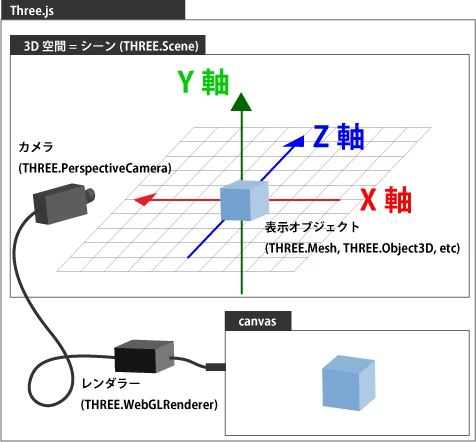
const scene = new THREE.Scene();

const camera = new THREE.PerspectiveCamera(
  1000, // 視野角
  window.innerWidth / window.innerHeight, // 側面
  75, // 近く
  1000 // 遠い
);
camera.position.set(0, 0, 400);

//マウスで制御
const controls = new OrbitControls(camera, document.body);

//html側の<canvas id="myCanvas"></canvas>を取得
const renderer = new THREE.WebGLRenderer({
  canvas: document.querySelector("#myCanvas"),
  antialias: true,
});

//setSize()メソッドでサイズを設定
renderer.setSize(window.innerWidth, window.innerHeight);
//背景色も変更可能
renderer.setClearColor("#000")

//htmlの<canvas id="myCanvas"></canvas>へ流し込み
document.body.appendChild(renderer.domElement);
The 3D cube part is created using a display object called a mesh. To create a mesh, you need to prepare the geometry (shape) and material (material).
//Geometry (cube)
const geometry = new THREE.BoxGeometry(100, 100, 100)

//Material (color)
const material = new THREE.MeshNormalMaterial
const box = new THREE.Mesh(geometry, material);
//Add to Scene
scene.add(box);

//Light
const light = new THREE.DirectionalLight(0xffffff, 1);
light.position.set(1, 1, 1);
//Add to Scene
scene.add(light);
Finally, add animation.
I will skip the implementation of the surrounding particles this time!
function animate() {
  requestAnimationFrame(animate);

  box.rotation.x += 0.005;
  box.rotation.y += 0.005;
  renderer.render(scene, camera);
}

animate()
When you render a scene with the set camera, geometry, material, and light, it will be drawn in the browser.
View video transcript (Japanese)
(直方体のジオメトリが3Dレンダリングされてブラウザに表示されている)
Creating 3D modeling with Blender
BlenderFree, open-source, integrated software covering the entire 3D production process, from 3D modeling, animation, rendering, game development, and video editing.Blender alone cannot create a WebGL site.
Blender uses the same concept as Three.js, creating shapes using mesh objects, adding color and texture using materials, adjusting how light hits and casts shadows with lights, and adjusting the camera position and direction to perform rendering.
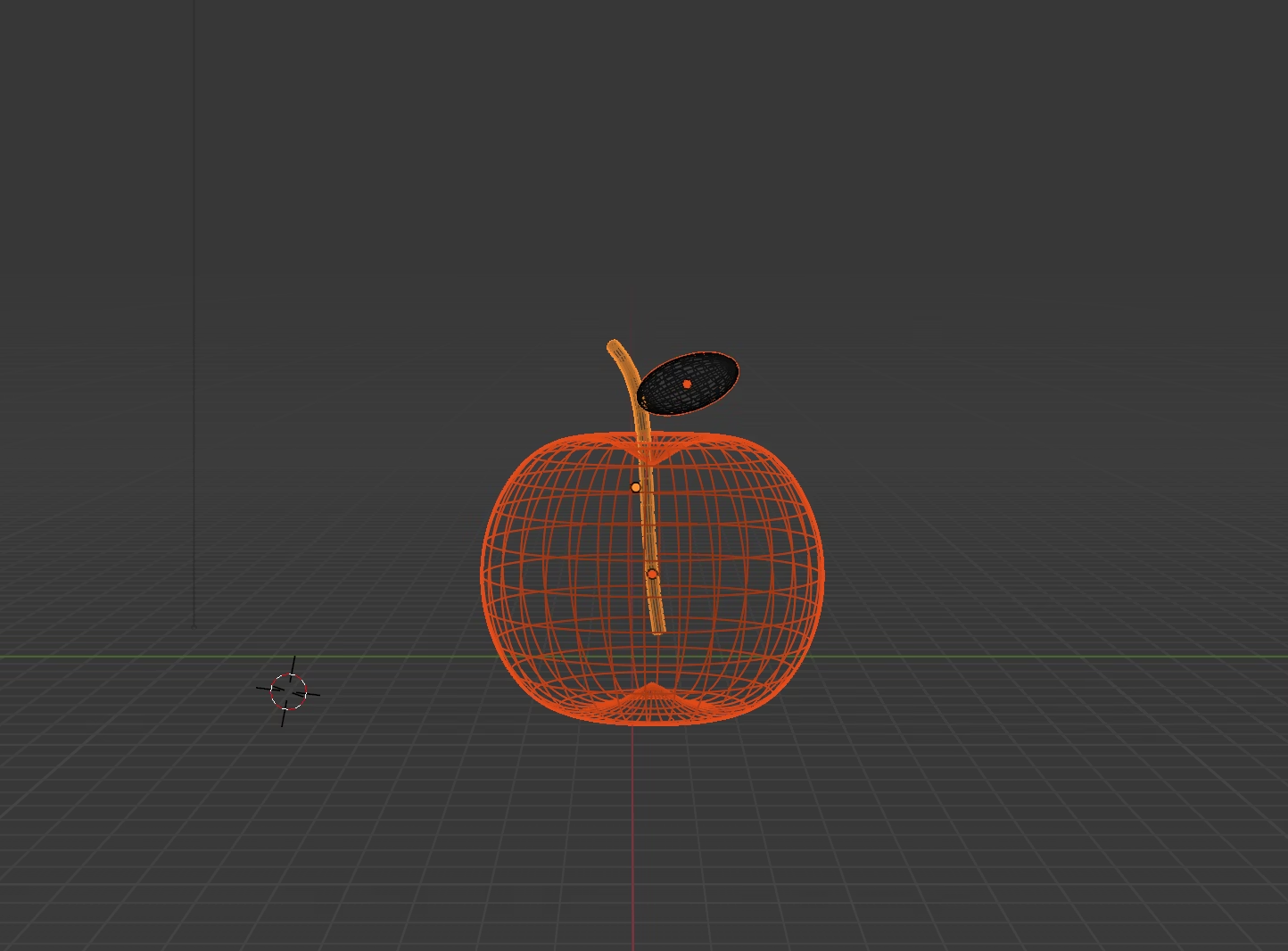

You can create realistic textures by combining nodes, such as gradients, metallic effects, and glows.
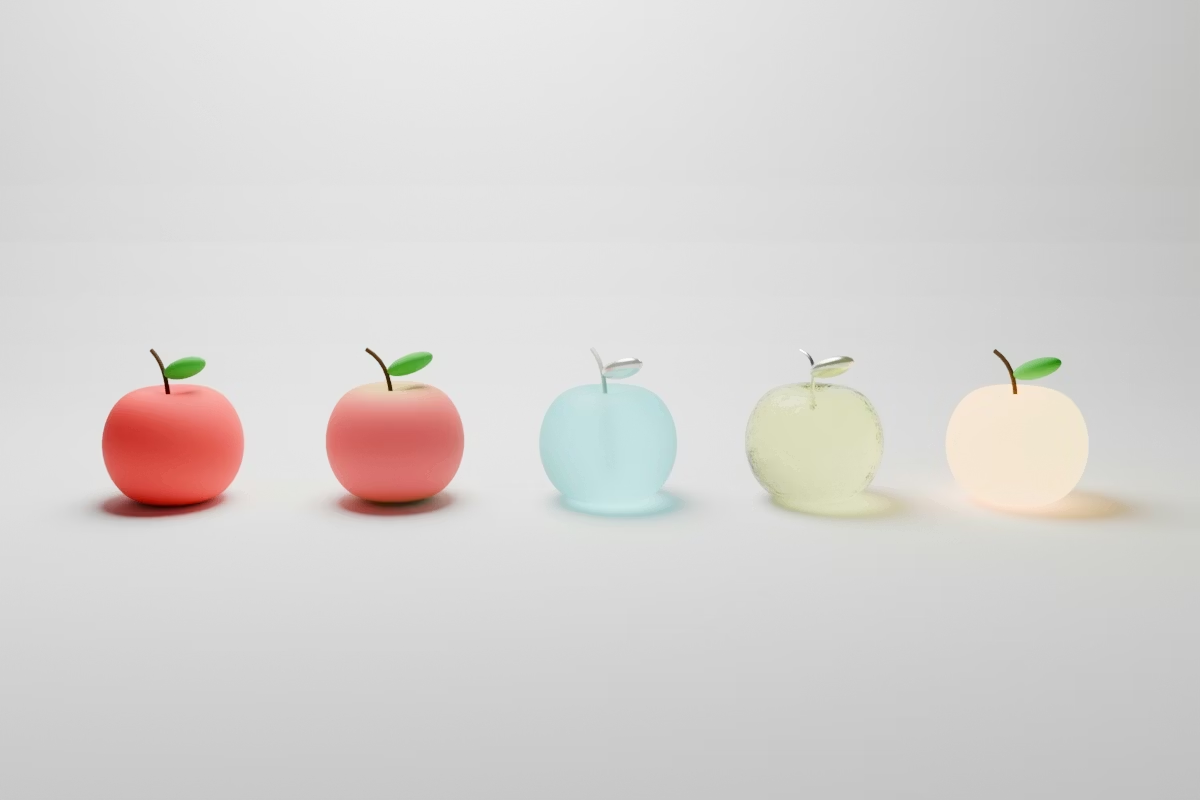
reference:https://www.youtube.com/watch?v=DsNZzUZPhw4
Displaying 3D modeling created with Blender in the browser with Three.js
Export the 3D created in Blender to a .glb file and incorporate it into Three.js.
OrbitControls、GLTFLoader、DRACOLoaderImport each function from the Three.js library.
OrbitControlsis a utility for controlling the camera with the mouse,GLTFLoaderandDRACOLoaderare utilities for loading 3D models in GLTF format and its compressed version, the DRACO format, respectively.
The modeled apple is now displayed in the browser!
However, when I display a model created in Blender in a browser using Three.js,Differences in rendering environments and material compatibilityThe color and texture will look different depending on the setting, so you may need to make some adjustments to get the look you want.
View video transcript (Japanese)
(Blenderで作成したりんごのモデリングをThree.jsでブラウザ表示した様子)
My daily work involves CMS integration and front-end design/construction of business applications, so I don't have much contact with 3D expression in my own work.
But when I play it like this, I realize once again that it's really fun.
Back thenThe moving webPerhaps it was because of his admiration for the past that he was naturally drawn to modern technology.
Well, it's Next and Nuxt again today!
Returning to the site, in a different formThe moving webI'm going to make it. 🚀



I do front-end development using JavaScript, React, and Next.js, focusing on markup. I feel happy when a site I've worked on is successfully published! My hobby is playing the guitar. I enjoy both writing and playing code!
Hiratchi
Front-end engineer / Joined in 2022