

It's been a while, but in a previous article, I wrote about building a movie watchlist app with Claude.
Since then, I've been hooked on app development with AI, and as I continued to fine-tune the app with Claude, the company-issued account quickly hit its usage limit.
Worried that this might interfere with my actual work, I decided to sign up for a paid plan myself.
"This time, let me build something that actually helps with work."
With that determination, I started brainstorming ideas, but in the end, what I created was yet another app completely unrelated to work.
Background
This time, I'm tackling a small challenge faced by an architectural design company run by a family member.
When they hand over a completed project to clients, they create a report using a spreadsheet.
The report template is fixed, and the content consists of text and photos only.
Because the input requirements are simple, the multifunctionality of spreadsheets ironically becomes a drawback. Users unfamiliar with the tool can spend considerable time just creating a single report.
The goal is simple, but the tool is too feature-rich, making it harder to use. I realized this was exactly where a dedicated app would shine.
The problem of "too much" rather than "not enough"
Tool frustration usually brings to mind the question "if only it had that feature"—a problem of missing functionality. But this case is the opposite: "there are too many features, making it harder to use." It's about subtraction, not addition.
This is exactly the kind of scenario where AI-powered development excels.
It's difficult to strip features from an off-the-shelf product with many capabilities, but building from scratch with only what you need is actually straightforward.
After identifying the necessary features from the workflow and explaining what we wanted to Claude as usual, this app was completed.
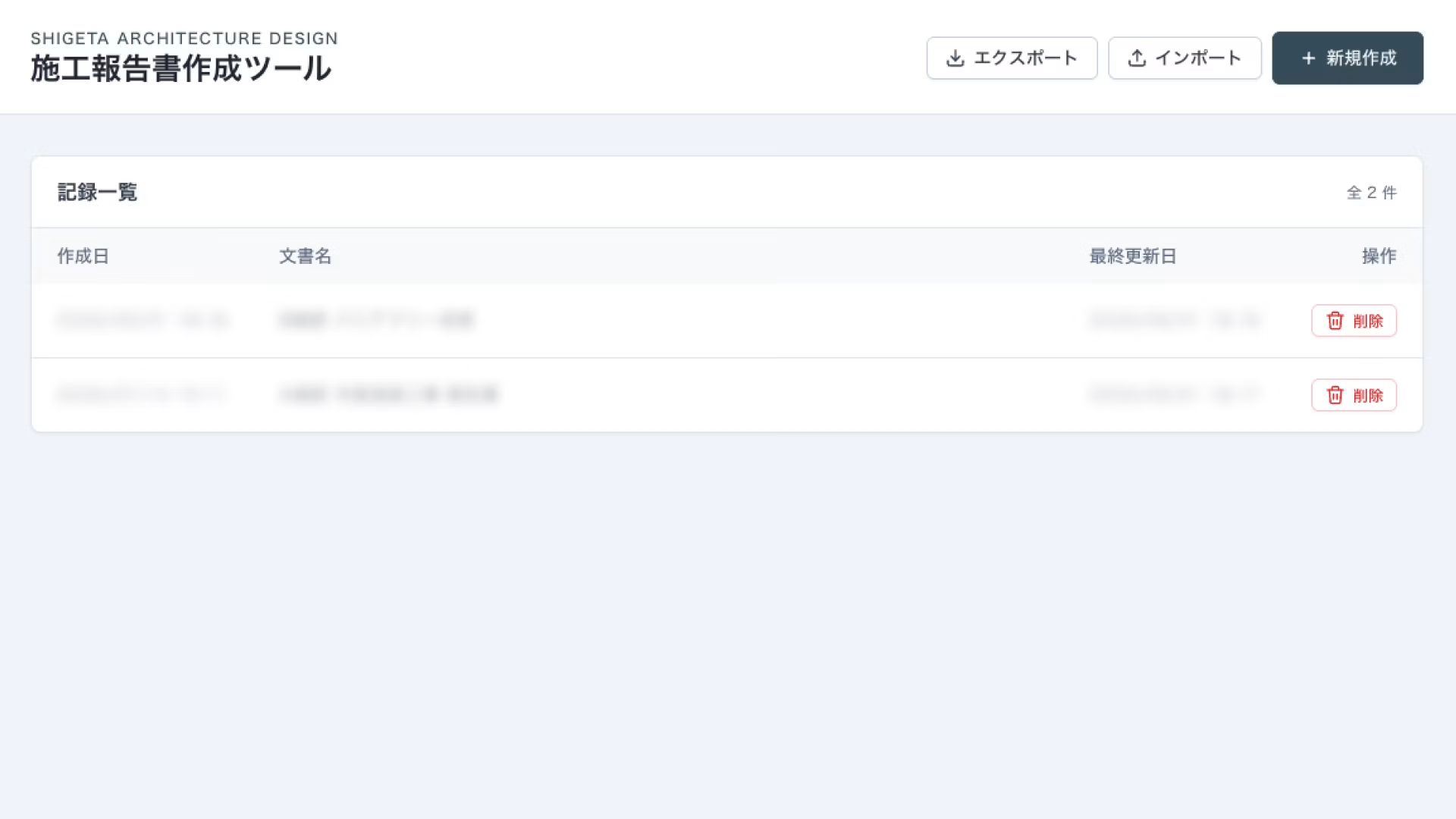
1. Document List
When you open the app, your existing reports appear in a list. From here, you can choose to create a new report or edit an existing one.
To create a new report, click the button in the top right. To edit an existing document, click it from the list.
2. Streamlined document creation, simplified to the limit
By preparing document templates in advance and starting with each template pre-created once, you eliminate the waste of manual template creation and duplication.
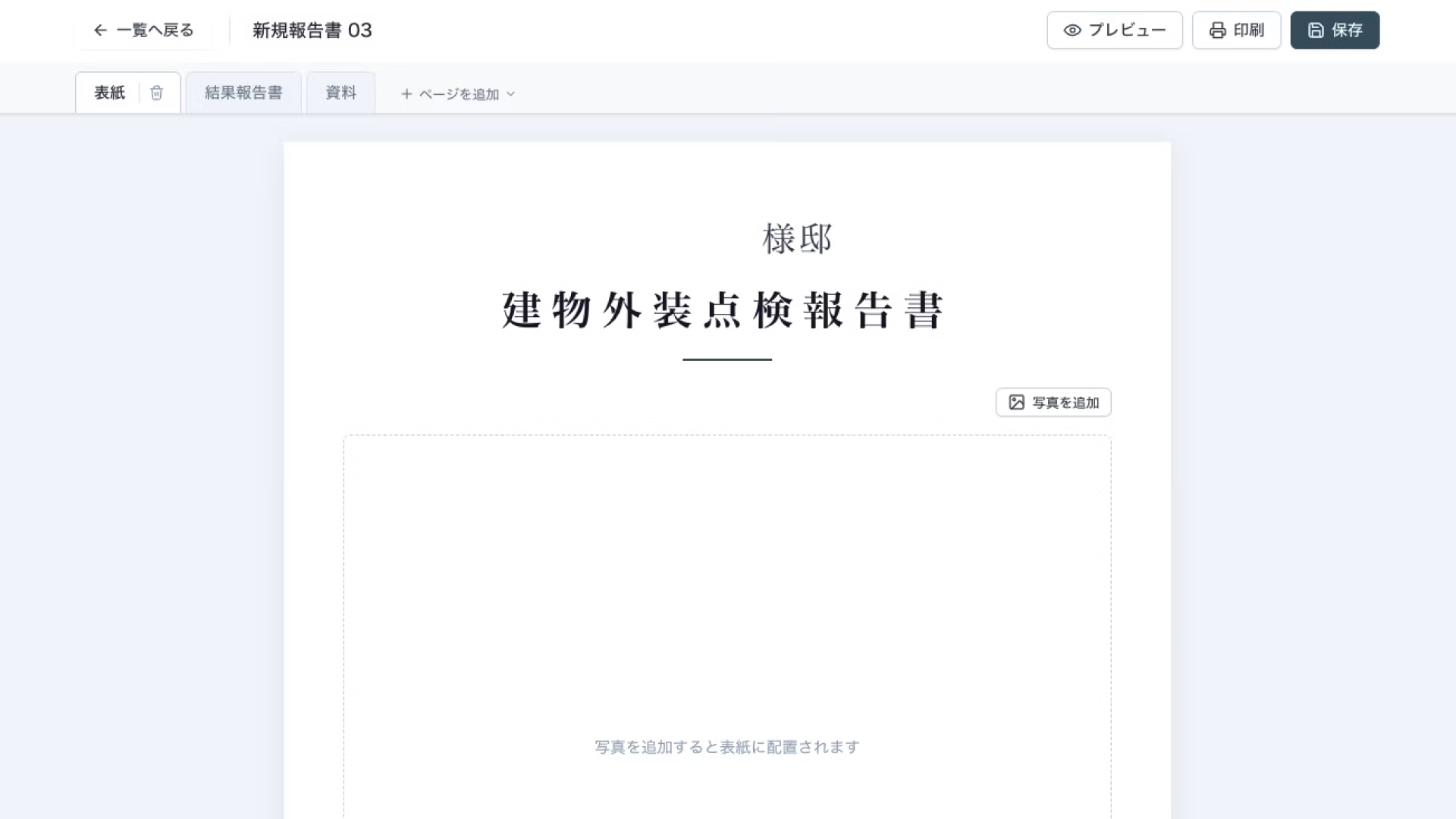
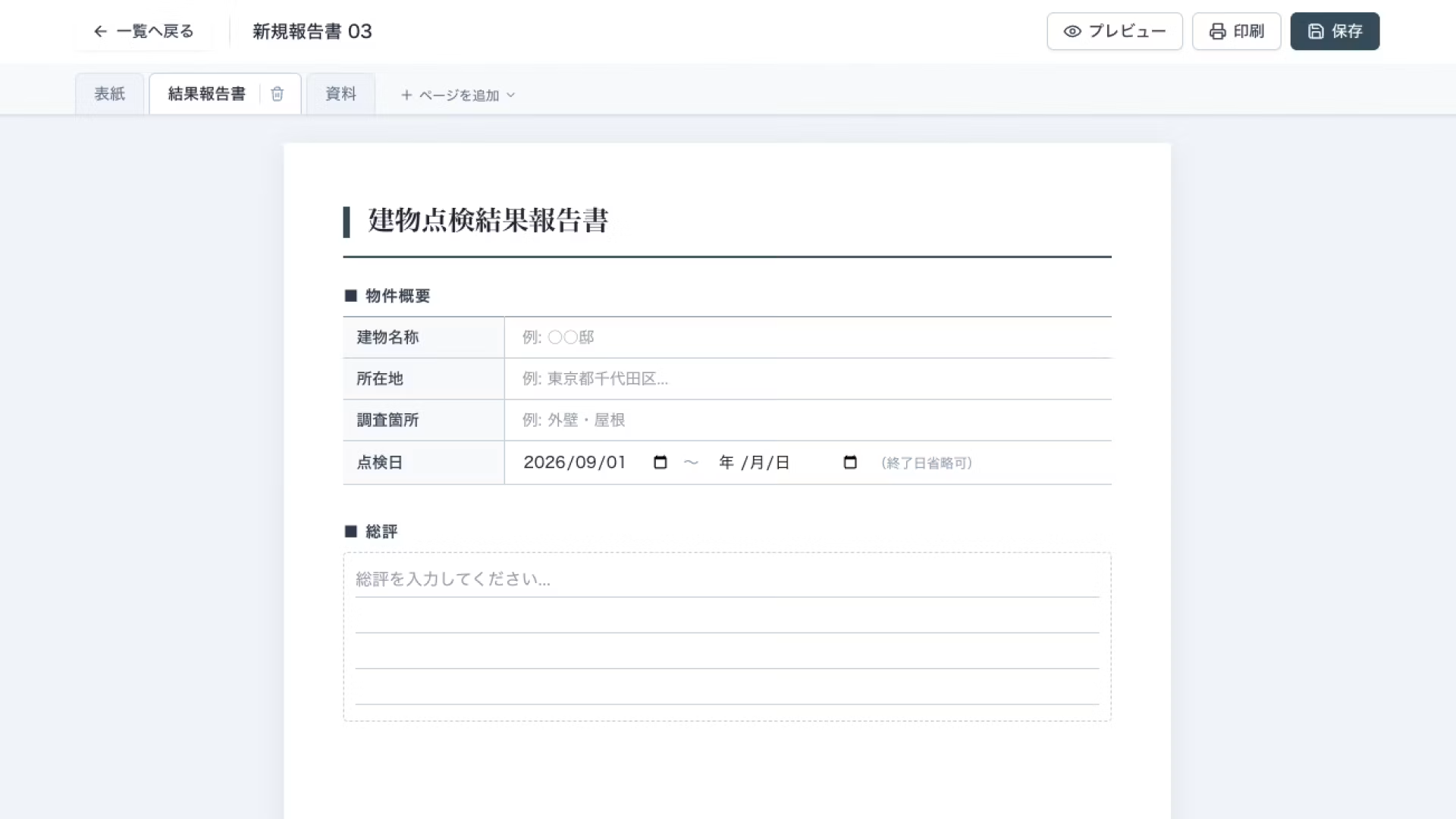
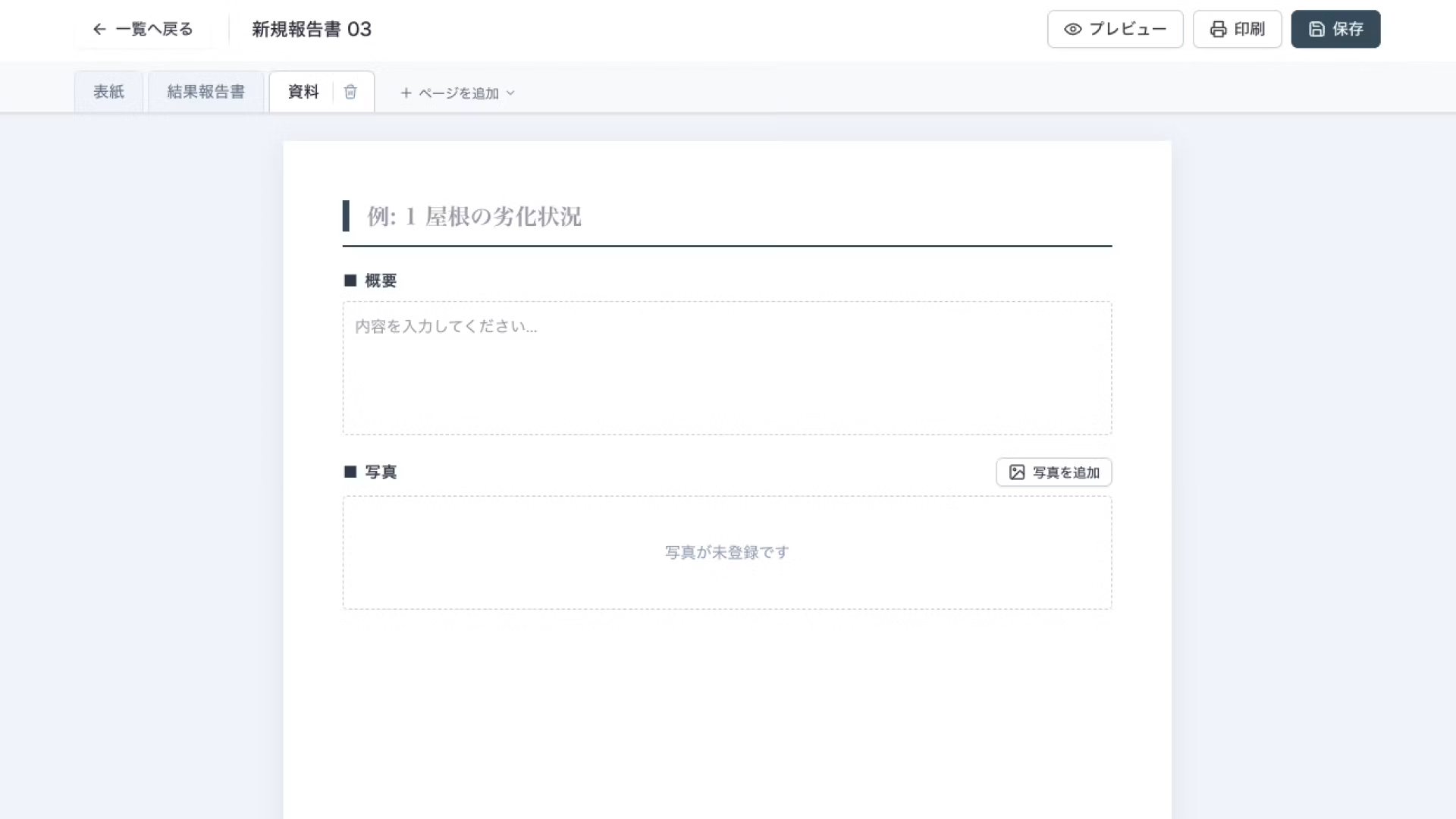
Adding pages is as simple as selecting from the available templates. Sheet reordering and renaming feel familiar, like a spreadsheet, so there's no learning curve when you get started.
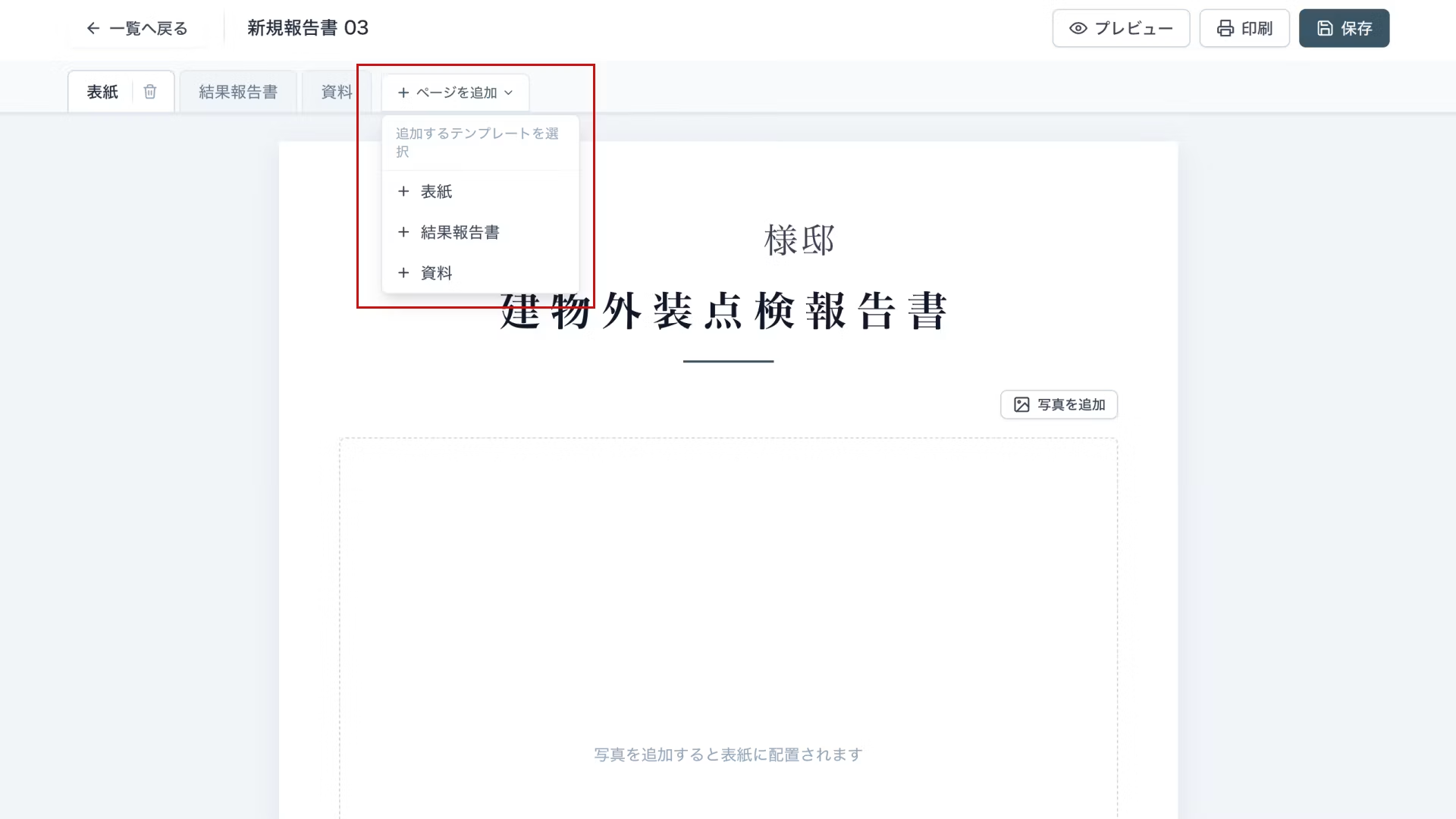
Input is stripped down to its essence: type text in the fields, upload images—that's it. We've kept it as simple as possible.
Since you're just filling in the designated sections, you can create a document with minimal operations.
Uploaded images are automatically compressed, so you can upload high-resolution smartphone photos as-is without any editing or resizing.
3. Document printing and PDF export
Once you're done entering data, preview your final result.
In preview, headings, lines, and font formatting are automatically aligned and adjusted to fit perfectly on A4-sized pages.
Your team members don't have to fuss with manual adjustments—just press the print button and get a polished report ready to go.
4. Backup functionality
This app does not integrate with a database, so data is stored locally in storage by default.
We would have preferred to save data to a database, but we decided against it because having a non-engineer blindly follow AI instructions to store customer information in a connected database would be risky.
That said, we thought it would be better to enable data migration and backup, so we added data export and import functionality.
While manual, this allows for basic backups and transferring data to another device when needed.
Summary
Services that allow non-engineers to build apps have been around for several years, but most work by combining pre-built features.
While convenient, the lack of fine-grained customization can leave users frustrated when they can't quite get what they need.
In contrast, AI-assisted development lets you pack in exactly the features you need and apply flexible customization. Plus, no code knowledge is required, and the barrier to entry is lower than you'd expect.
Don't you have tasks nearby where you think, "What I want to do is simple, yet it's taking more effort than expected"?
Creating a simple app might just solve the problem effortlessly.
As mentioned in the previous article, we recommend starting with a casual approach and building it out.




A self-made director since joining as a new graduate, currently thriving in my role! I'm pursuing the goal of becoming a multi-talented professional who can master every field, from design to ad operations. At work, I aim for smart direction, while in my private life I enjoy a reclusive fortress of a home. I happen to like anime.
Handa
Web Director / Joined 2022