
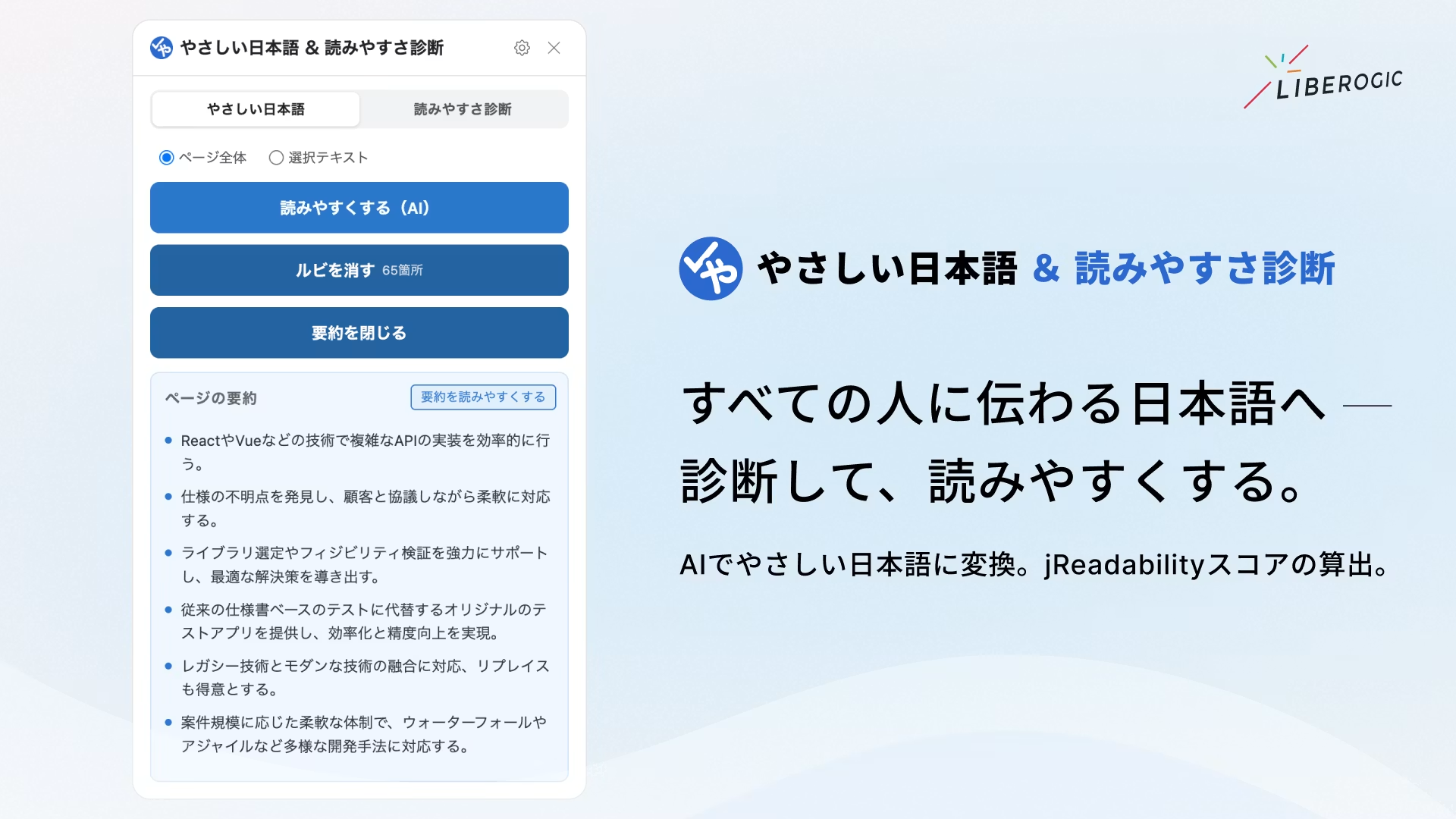
We've released "Easy Japanese & Readability Diagnosis," a Chrome extension, as the third installment of Liberogic's web accessibility tools.
While the first installment "Area Contrast Checker" and the second "A11y Navigation Auditor" were diagnosis-focused tools, this one supports both readers and writers.
It helps readers by converting difficult Japanese into simpler language with a single click, and supports writers by visualizing text difficulty with an objective score.
Development Background
Web accessibility is often discussed in terms of
technical and structural aspects such as contrast, markup, and ARIA. However, even if the structure is perfectly correct, if the content itself is difficult to understand, the information will not reach the reader. Complex language in news articles and government documents remains a significant barrier for non-native speakers, children, seniors, and Japanese language learners.
This perspective aligns with WCAG's readability success criteria (3.1.5 Reading Level / AAA) and represents an important aspect of web accessibility.
What is "easy Japanese"?
One way to overcome these barriers is "easy Japanese."
This refers to Japanese in which commonly-used words are replaced with easier-to-understand alternatives, taking the listener's perspective into account. The approach is based on short sentences, simple vocabulary, ruby text (furigana), and word spacing.
It began with the 1995 Great Hanshin earthquake, born from a reflection on how disaster information failed to reach foreign residents unfamiliar with Japanese adequately. Initially used as a means of communicating information during disasters, it has now expanded to a wide range of contexts—administration, daily life, tourism, and more—with national and local governments working to promote its adoption.
*"Gentle" encompasses two meanings: easy (simple) and kind (compassionate).
Easy to read, every page
Several mechanisms already exist to support plain-language simplification of websites, but most are cloud-based services that site operators deploy on their own sites and provide to their users.
While this approach is reassuring for providers, it has the limitation that users can only access it on sites that have already adopted it, and requires contracts and fees to use. Readers want to easily simplify news and government pages they encounter on the spot. Existing mechanisms have not been able to fully meet these needs.
This extension is installed by readers themselves in their browser, not by content creators. That means you can use it for free on any page, regardless of whether it's compatible or not. It also includes a readability diagnostic tool to support writers as they create content.
Two core features that work entirely on-device
This extension leverages Chrome's built-in on-device AI "Gemini Nano" and the morphological analysis engine "Kuromoji" to complete both "conversion" and "diagnosis" entirely within the browser (local environment).
No API key acquisition or token costs required, and your text is never sent to external servers—use it as many times as you need with complete peace of mind.
Key features
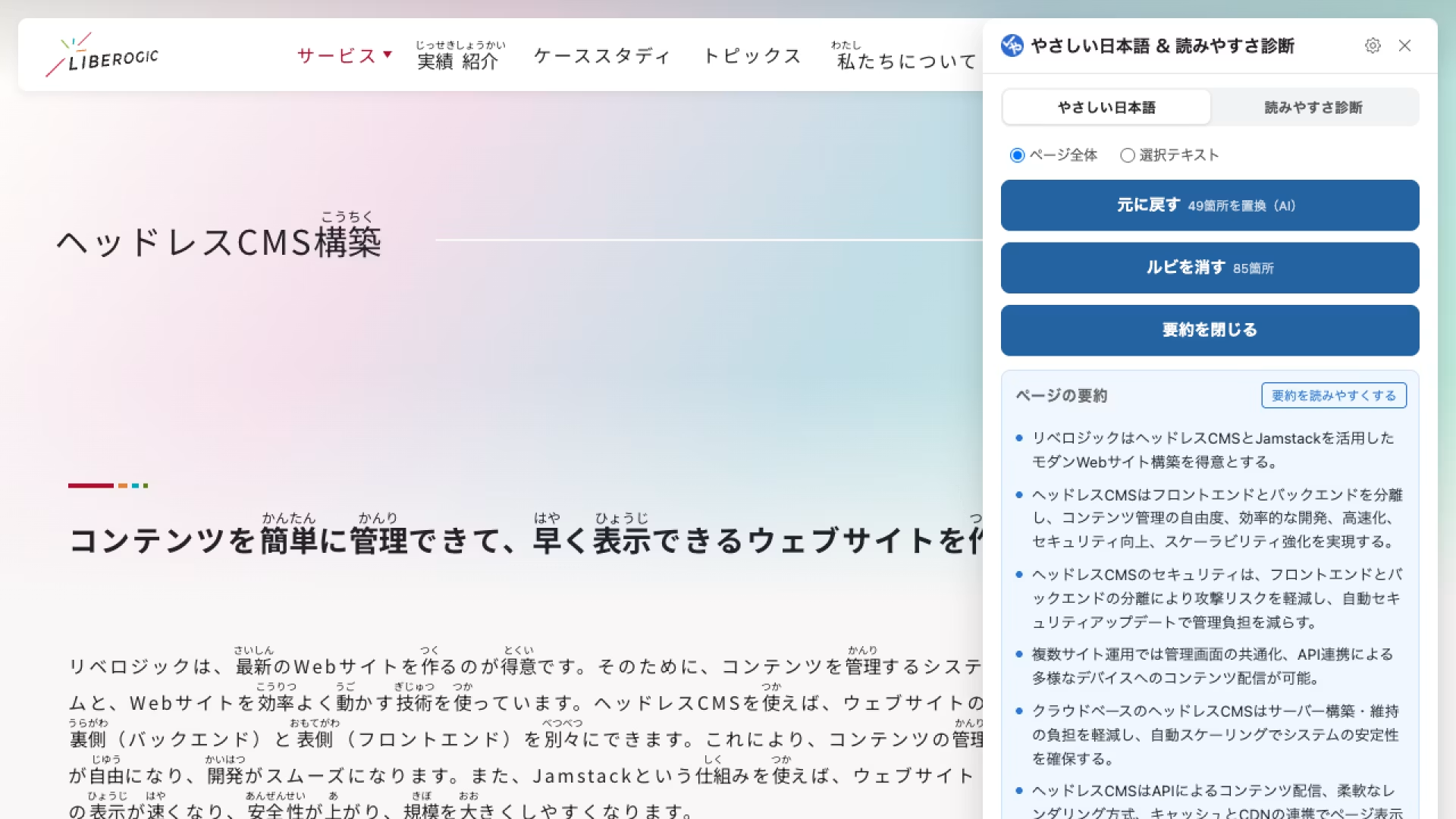
Plain Japanese conversion (for readers and learners)
▪️Make text readable with AI
Chrome's built-in AI automatically breaks up difficult sentences and rephrases stiff expressions.
▪️Add ruby text (furigana)
Morphological analysis via Kuromoji adds phonetic readings to kanji on the page. Target level and size are fully customizable.
▪️Summarize with AI
Quickly summarize page content in bullet points. You can further convert summaries into plain Japanese.
▪️Selected text conversion
Convert specific sections of interest into plain Japanese with precision.
Readability diagnosis (for writers and editors)
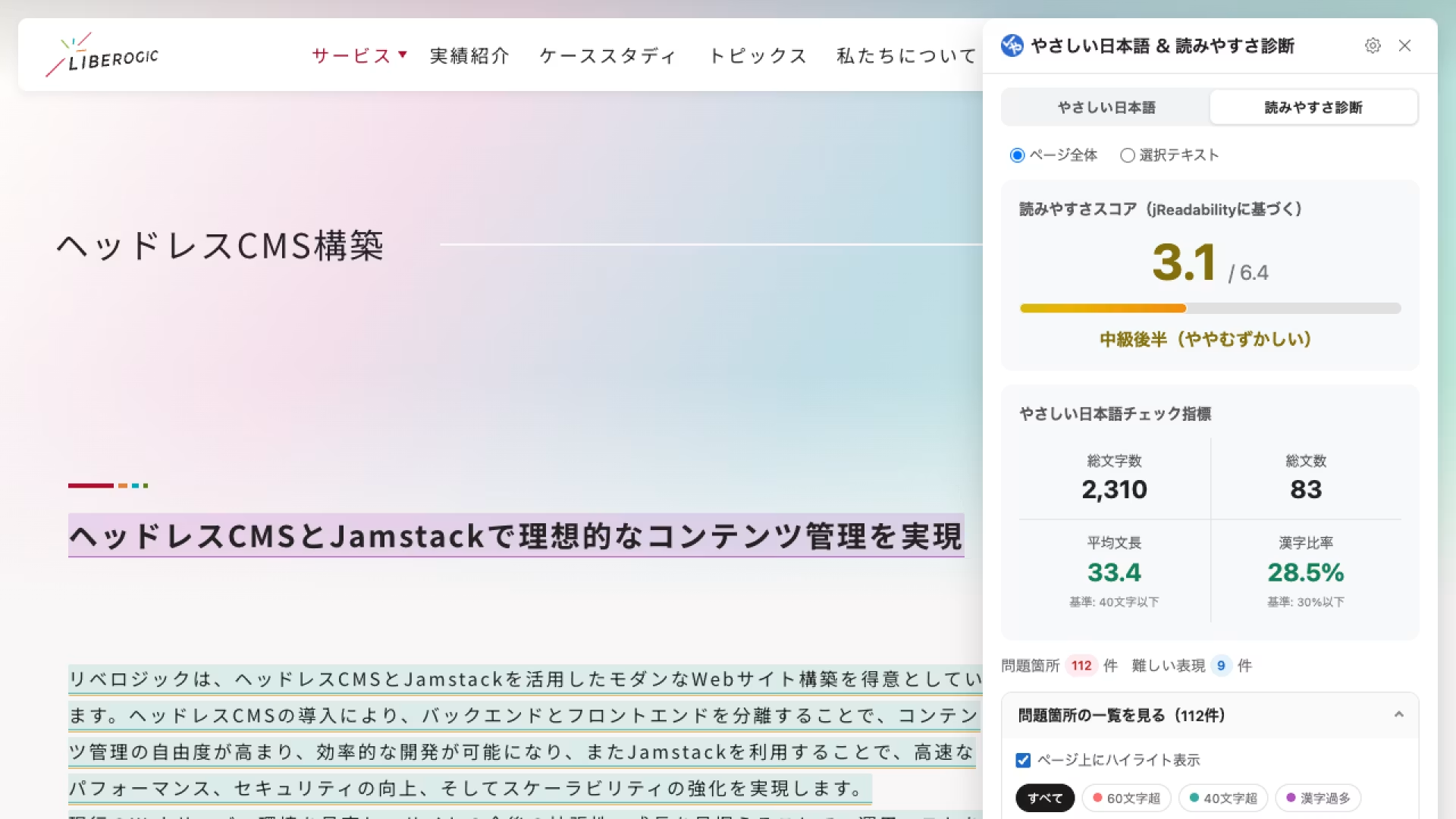
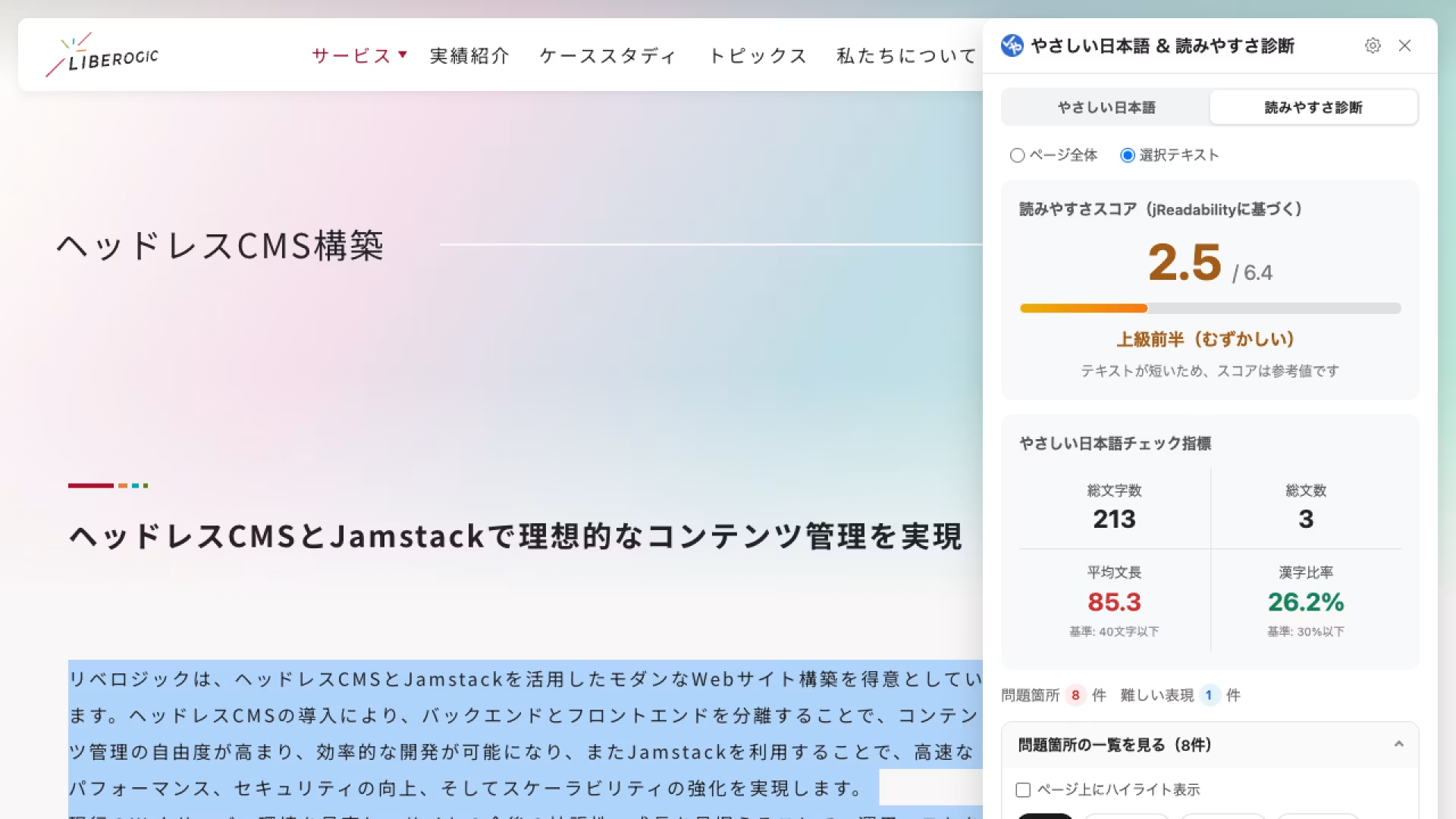
▪️jReadability score
Calculates readability based on academic research (Lee & Hasebe 2015). Provides objective difficulty evaluation on a 6-point scale from 0.5 (very difficult) to 6.4 (very easy).
▪️Plain Japanese guideline checklist
Displays total character count, average sentence length (target: 40–50 characters or less), and kanji ratio (target: 30% or less) in a single overview.
▪️Visualize problem areas
Long sentences and difficult words are color-coded and highlighted on the page, making corrections obvious at a glance.
▪️Selected text analysis
Analyze not just the entire page, but specific portions you select.
Other features
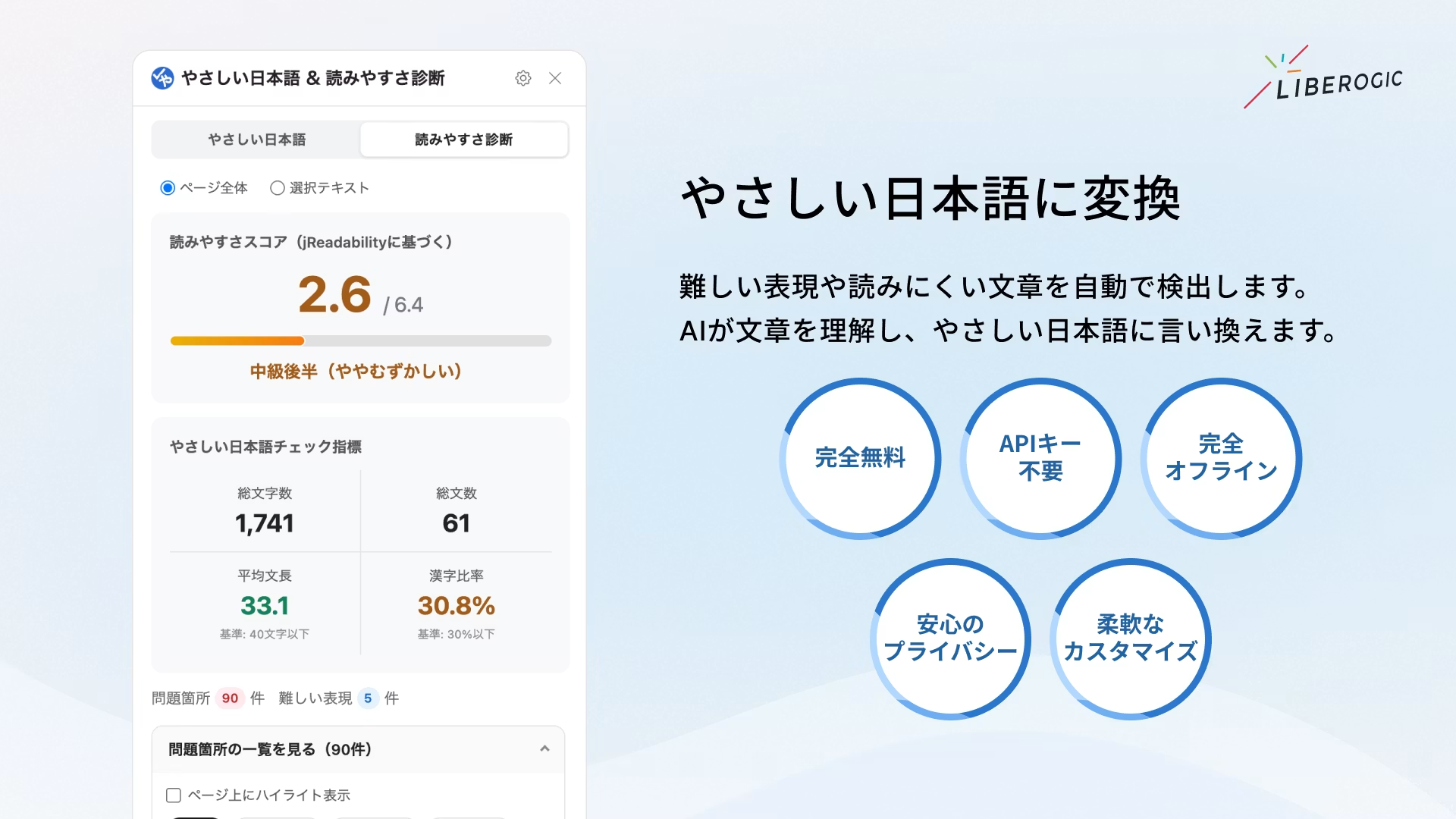
▪️Completely free and no API key required
Uses on-device AI, so no complex setup or token costs. Use as much as you want.
▪️Fully offline and privacy-assured
All analysis, including AI processing, runs entirely within your browser. Safe to use for business and official documents.
▪️Flexible customization
Supports dark mode that follows OS settings. Freely adjust ruby annotation levels, sizes, and window position.
Usage notes
AI-powered rewriting and summarization features are available in environments where Google Chrome's on-device AI "Gemini Nano" is enabled (may not be available depending on device specs or browser version).
Dictionary-based expression replacement, ruby annotations, and readability diagnostics work without AI features.
Download Easy Japanese & Readability Diagnostic
At Liberogic, we aim to make accessibility not a "special accommodation" but a "standard quality."
While our first tool "Area Contrast Checker" and second tool "A11y Navigation Auditor" supported the "technical and structural" aspects of accessibility, this time we expanded our focus to include both readers and writers—those who deliver content and those who receive it.
Beyond "building correctly," we aimed for "communicating clearly." This tool embodies another challenge we've encountered in real-world projects.
Making accessibility more accessible and seamless. We're preparing new tools for you, so stay tuned.


