
As interest in web accessibility grows, we have been developing tools to support accessibility diagnostics that are "easier and clearer" through the provision of accessibility diagnostic services.
As the first in this series, the Chrome extension "Area Contrast Checker" has been released.
Development Background
Conventional contrast checkers fall into three main categories, each with its own strengths and limitations.
- Automated scanning
extracts information mechanically across an entire page, making it efficient, but has the drawback of being prone to false positives and missed detections when backgrounds are images or gradients. - Eyedropper tool
accurately captures the exact color you see, but requires manual extraction one point at a time, which can be labor-intensive. - Element-based
directly references HTML/CSS information, making it simple, but cannot inspect images and may fail to correctly capture actual rendering states such as element overlap and opacity.
Development began with a simple question from the field: "Wouldn't it be great to have a method that's easy to use, highly accurate, and works anywhere?"
A fourth approach unlike any before
In response to that, we developed the fourth approach: "area analysis" in the Area Contrast Checker.
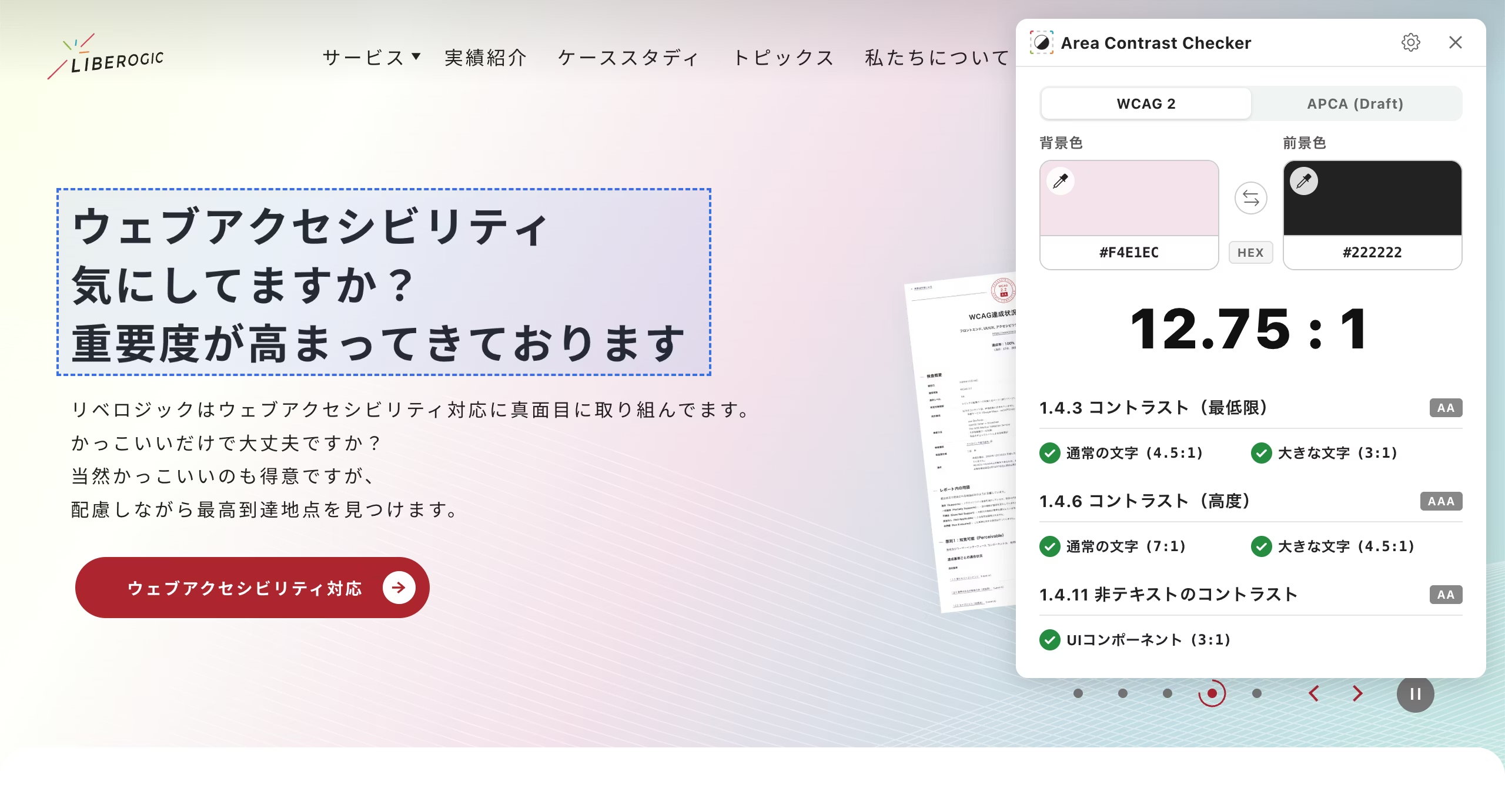
Select the area you want to examine by dragging. The tool analyzes pixels within that region and automatically detects two colors: background and foreground. Since it targets the actual display as users see it, element overlap doesn't matter, and you can even inspect images.
Simply drag over the area you're curious about for easy analysis.
Key features
▪️WCAG 2.1 / 2.2 conformance assessment
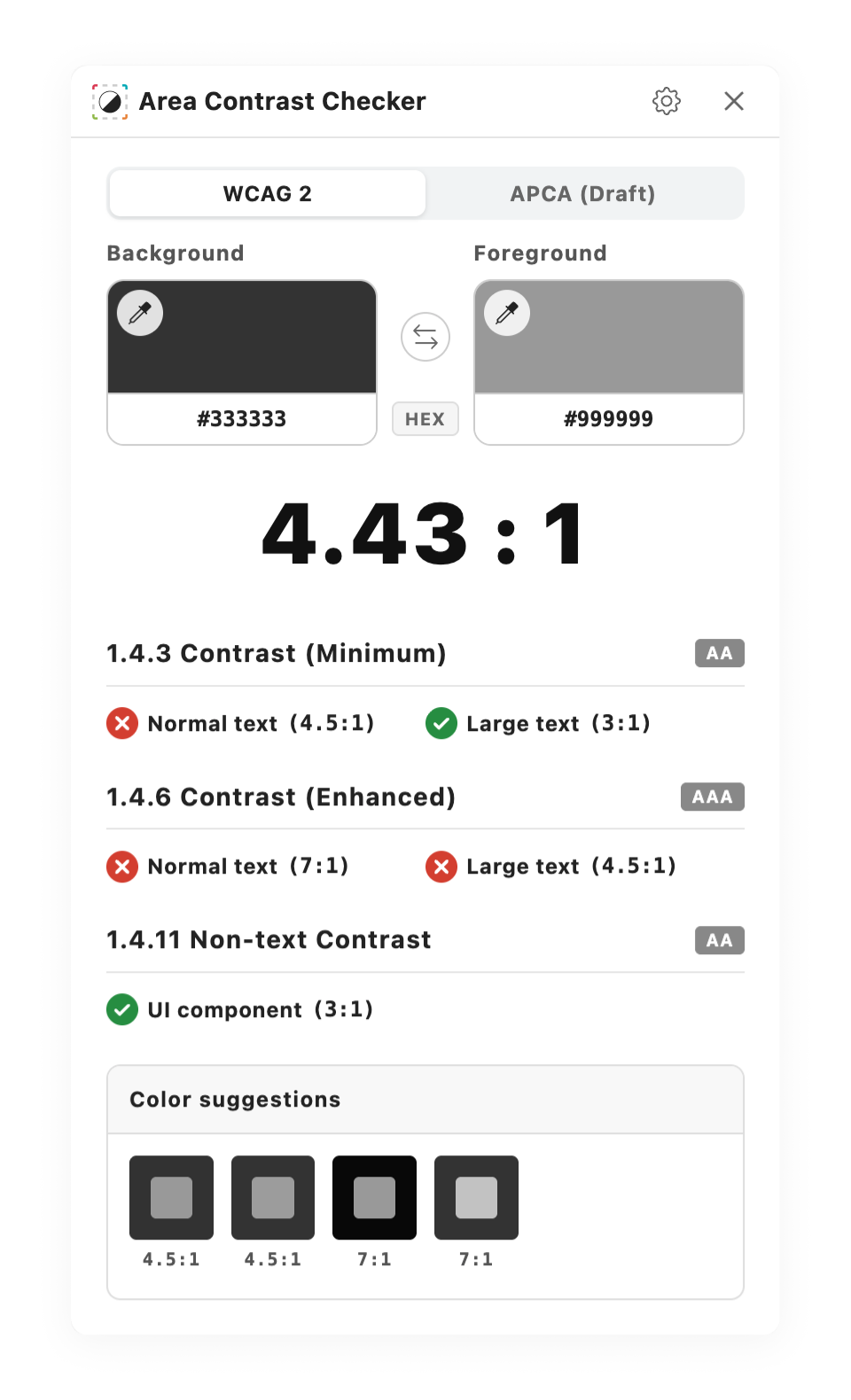
Based on success criteria 1.4.3, 1.4.6, and 1.4.11, evaluates contrast ratios for normal text (AA: 4.5:1, AAA: 7:1), large text (AA: 3:1, AAA: 4.5:1), and UI components (AA: 3:1).
▪️Next-generation APCA standard support
Supports APCA (Accessible Perceptual Contrast Algorithm), the new contrast standard under consideration in the WCAG 3.0 draft. Instantly displays how large the font size can be while maintaining compliance (Lc value).
▪️Color-preserving color suggestions
When contrast ratio is insufficient, the tool proposes similar colors that meet the standard while preserving the original color's hue (Hue).
▪️Advanced features for professionals
・Supports HEX, RGB, and HSL color formats.
・When you want to fine-tune auto-detected results, you can re-select using the color picker on a pixel-by-pixel basis.
・Available in Japanese and English.
Download Area Contrast Checker here
At Liberogic, we aim to make accessibility not a "special accommodation" but a "standard quality."
We've packed this tool with "nice-to-have" features identified through our web development and accessibility consulting work. We plan to continue releasing tools to make accessibility more accessible and seamless. We look forward to your feedback.


