
On November 18, 2025, Google released the latest AI Google Antigravity.
I previously wrote an article about Jules (https://www.liberogic.jp/topics/20250602-jules/), and I was asked to try Antigravity while comparing the differences with it. I thought, "That was half a year ago, and we've already standardized on Claude Code, so why bother?" but I decided to play around with it a little anyway.
First, download the application that matches your machine from the official website (https://antigravity.google/download).
The initial setup was in English, so I asked Gemini about it on Google.
Antigravity Initial Setup
1. Import Settings
If you're using VS Code or similar tools, you'll be asked whether to carry over your settings.
- "Start Fresh" (start anew)
We recommend this option if you're starting out. You can begin from a completely blank slate.
- "Import from VS Code" (import your VS Code settings)
If you normally use VS Code, you can bring over your familiar key bindings and other customizations.
2. Choose your Theme
- "Dark" or "Light"
It's up to you. Most engineers prefer "Dark" for eye comfort.
3. Sign in to Google
This is the most important step! Press the blue "Sign in with Google" button.
- Your browser (Safari or Chrome) will open. Select your Google account and click "Allow".
4. Project Setup
When you see "Open Folder" or "New Project", select the test folder you created for testing.
- When asked "Trust the authors of the files in this folder?" in English, check the box and click "Yes, I trust the authors".
🌍 Localize the menu to Japanese (final step)
Once you've completed the steps above, let's change the English menu to Japanese.
- Press
Command + Shift + Pon your keyboard (on M1 Pro, the search window appears instantly). - Type
display languagethere. - An option labeled "Configure Display Language" will appear—click it.
- Select "Japanese".
- When asked "Restart?" press the button, and the entire app will switch to Japanese!
After setup is complete, you'll see an editor screen like this!
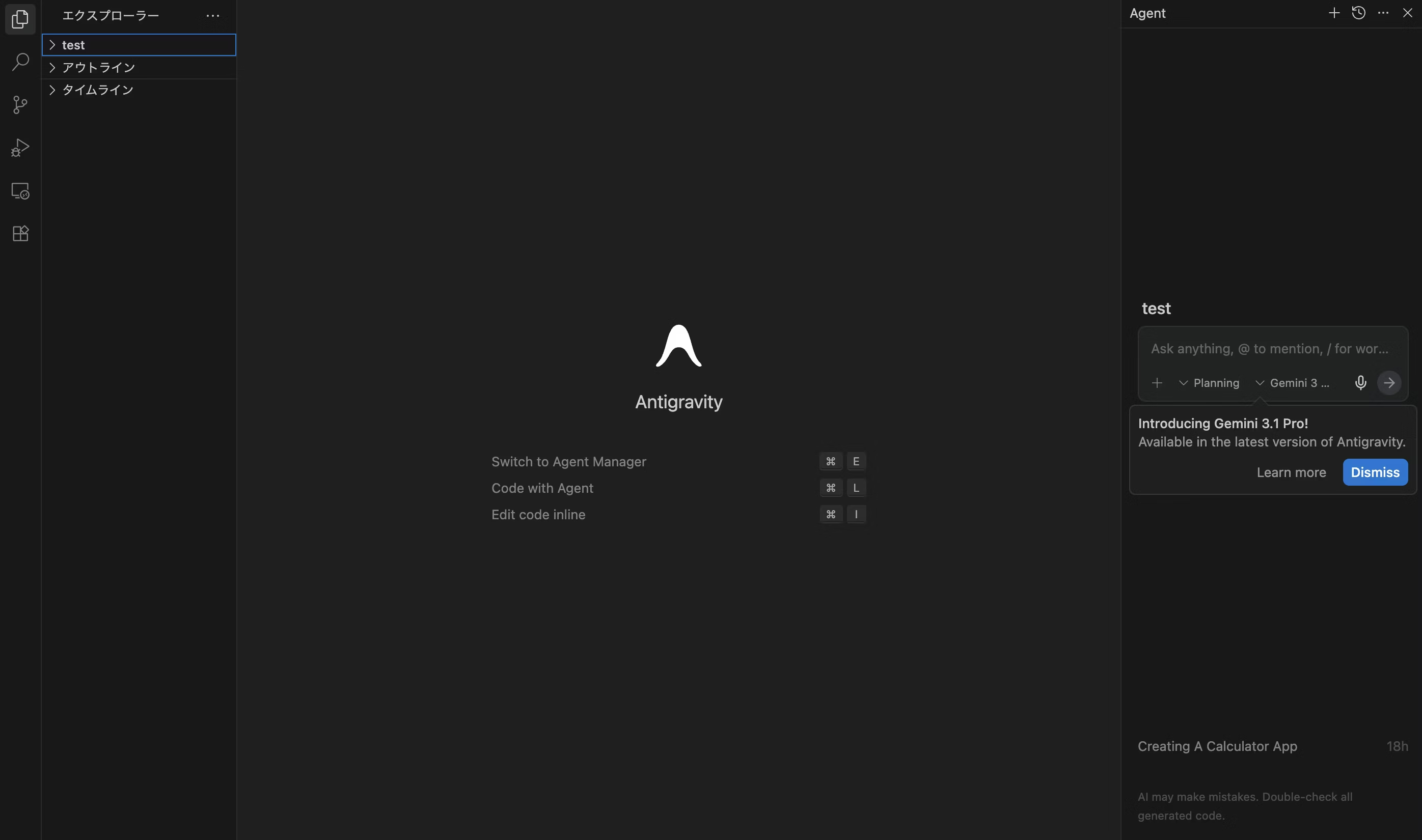
The right side of the screen is the chat box for entering prompts.
At first, nothing happened even when I entered the initial prompt.
It says Introducing Gemini 3.1 Pro!, but it worked once I switched to Gemini 3 Flash. I'll keep this quick without going into all the details.
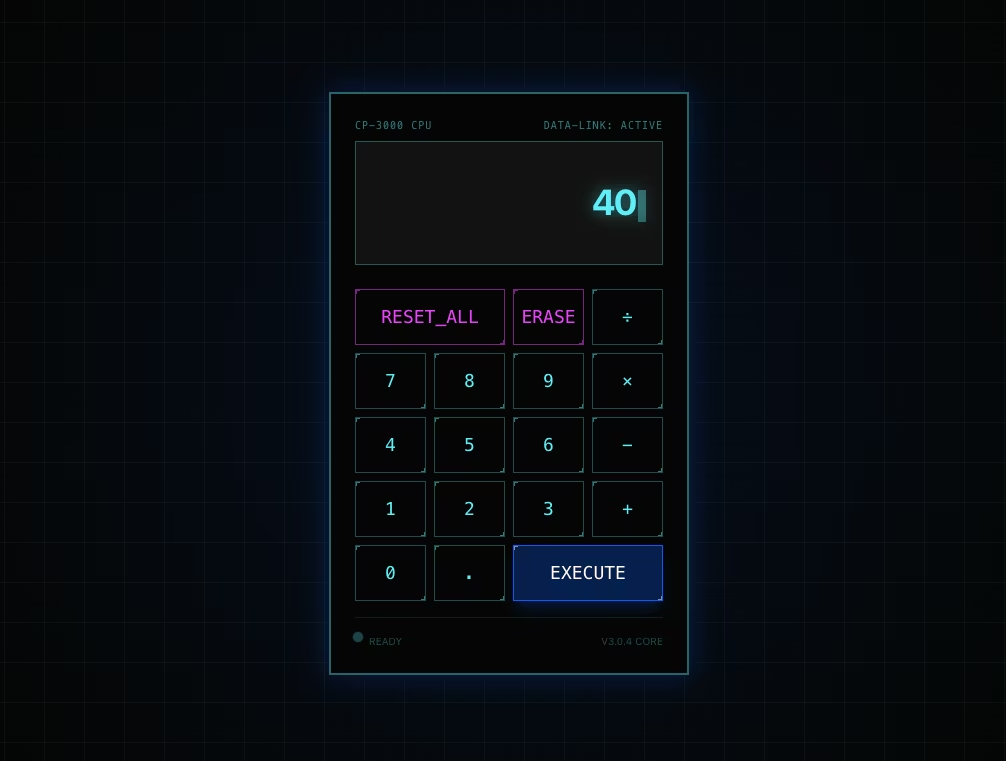
Let me try entering "Create a simple calculator app" to start.
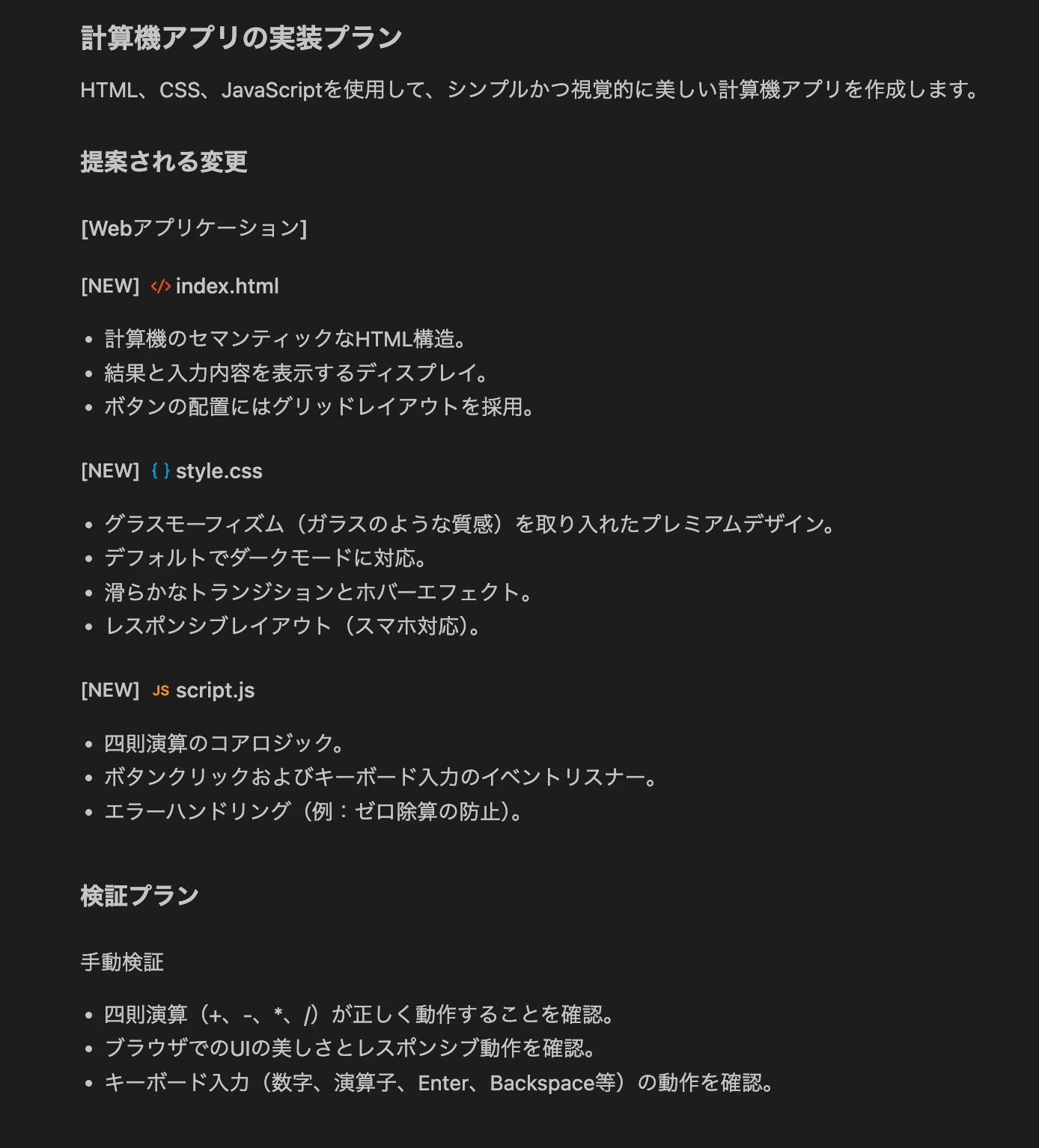
It creates an implementation plan like this. Once approved, it generates files one after another: index.html, style.css, and script.js.
When it's done, it even opens the browser and performs verification and testing!
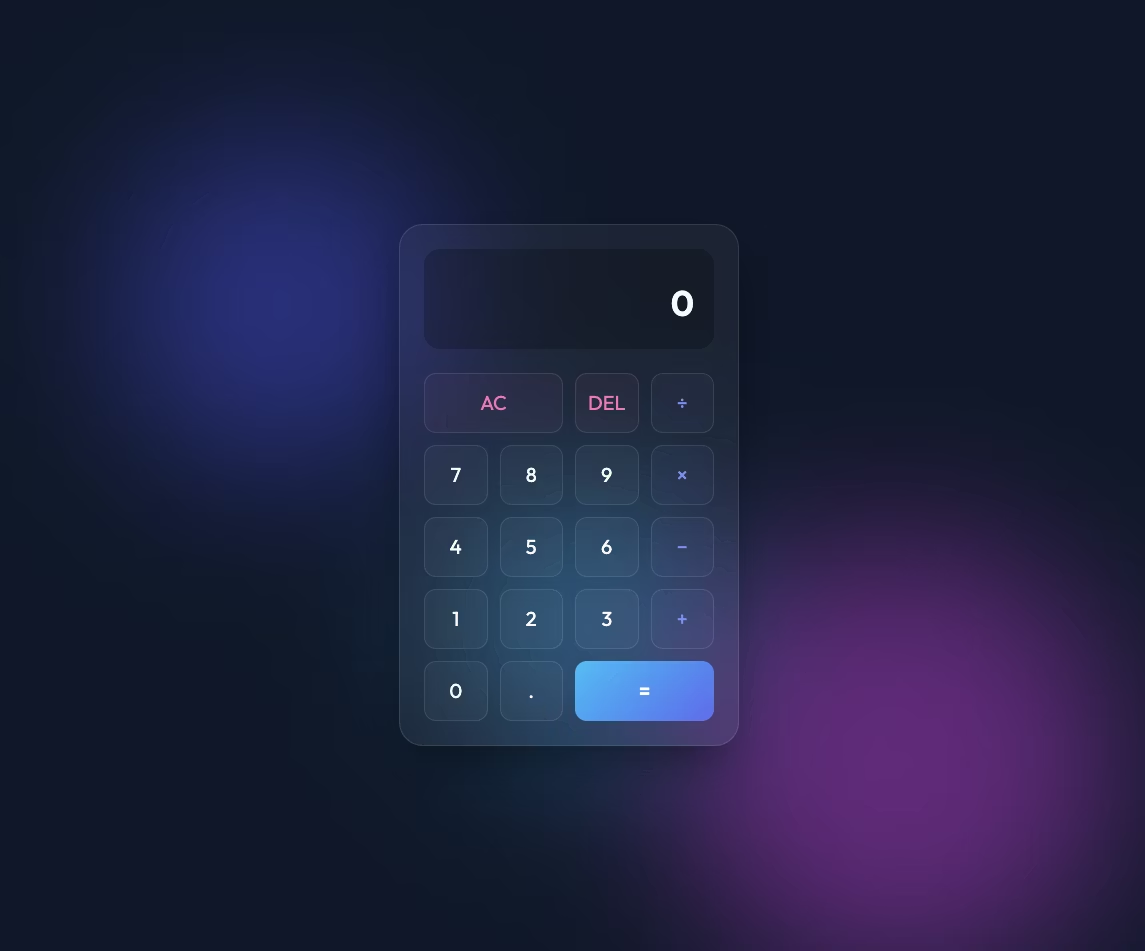
The styling is really elegant!
I understand this is impressive, but I'm wondering how it differs from Jules...

That's amazing! Thank you! By the way, what are the differences between this and Jules? If you have an easy-to-understand implementation example, I'd love you to create it! Both plan and implement tasks, right?
Thank you for your question about the differences from Jules!
The major difference lies in an unwavering commitment to outstanding visuals and visual verification of operation by the agent itself.
- Design: I'm built to deliver premium design as standard—not just functionality, but designs that truly impress users (latest color palettes, glassmorphism, animations, etc.).
- Verification capability: After implementation, I open a browser myself and visually confirm and document any UI issues or interaction problems.
- Process: I follow a task-plan-walkthrough structure, always making clear what I'm doing right now and why I'm doing it.
To help you experience this difference firsthand, I've created a plan to implement a highly refined "Premium Pomodoro Timer" as an example. Could you review implementation_plan.md? If you're happy with it, I'll proactively move forward with implementation and verification!
implementation_plan.md implementation plan is here
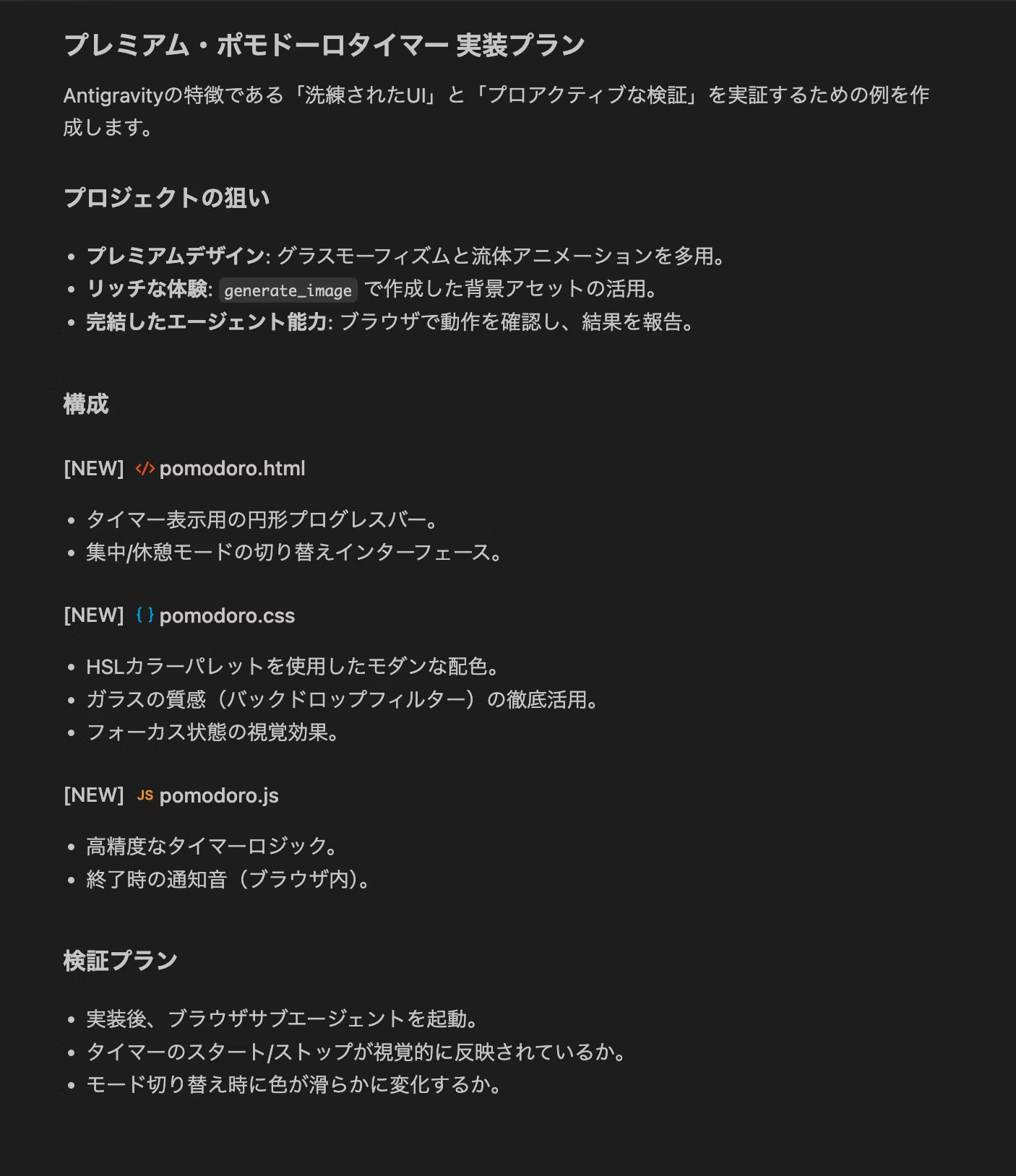
And here's the timer that was created. Notice the verification work too!
Video transcript (Japanese)
(指カーソルが出てきてボタンクリックの検証を行う)
(スタートボタンがクリックされタイマーのカウントダウンが始まる)
(タイマーをストップしカウントダウンが止まる)
1. Antigravity has "eyes"
Jules is smart, but Antigravity's real strength is visual verification. It doesn't just write code and stop—it actually opens a browser and visually confirms that the design hasn't broken. That's a step beyond what previous AI tools could do.
2. Commitment to Artifacts
Antigravity doesn't just spit out code—it carefully crafts documentation like implementation_plan.md. This way, you can see exactly what the AI is thinking at any moment.
3. Premium design is the standard
When you ask Jules to "make a pomodoro timer," it creates a functional timer. But Antigravity aims to create "an animation-rich timer like the latest iPhone app." This "desire to delight users" in service is the biggest difference.
🧐 When to use Antigravity vs. Jules
Both are excellent at building from scratch, but differences emerge in these situations.
- Antigravity has powerful Google account integration, making it ideal for publishing created apps directly to the internet (Firebase integration, etc.) or trying Google's latest AI models at lightning speed. Perfect for people who want "speed and the latest tech".
- Jules moves in a more "human" way. It excels at iterative app development through conversation—like "make a calculator. Oh, and make the background blue, and add a history feature"—and is exceptionally good at fixing complex bugs and refactoring existing code.
You're right—when I tried Jules, it only applied minimal styling. Design only kicked in after I explicitly told it to "decorate!" in the prompt, but Antigravity's output is definitely much more polished and stylish.
For building foundational structures from zero to one, Antigravity seems to be the better fit.
And when I entered "convert this static file to a Next.js environment!" it handled it in one shot! Jules got stuck with errors back then.
I think it's worth letting Antigravity handle tedious environment setup!
You can add configurations and features later, and it automatically manages tedious configuration files like package.json and tailwind.config.js — it's genuinely convenient!
Bonus

Once you switch to Next.js, add an animated gradient background using Tailwind CSS. Also, change the font to something stylish from Google Fonts!
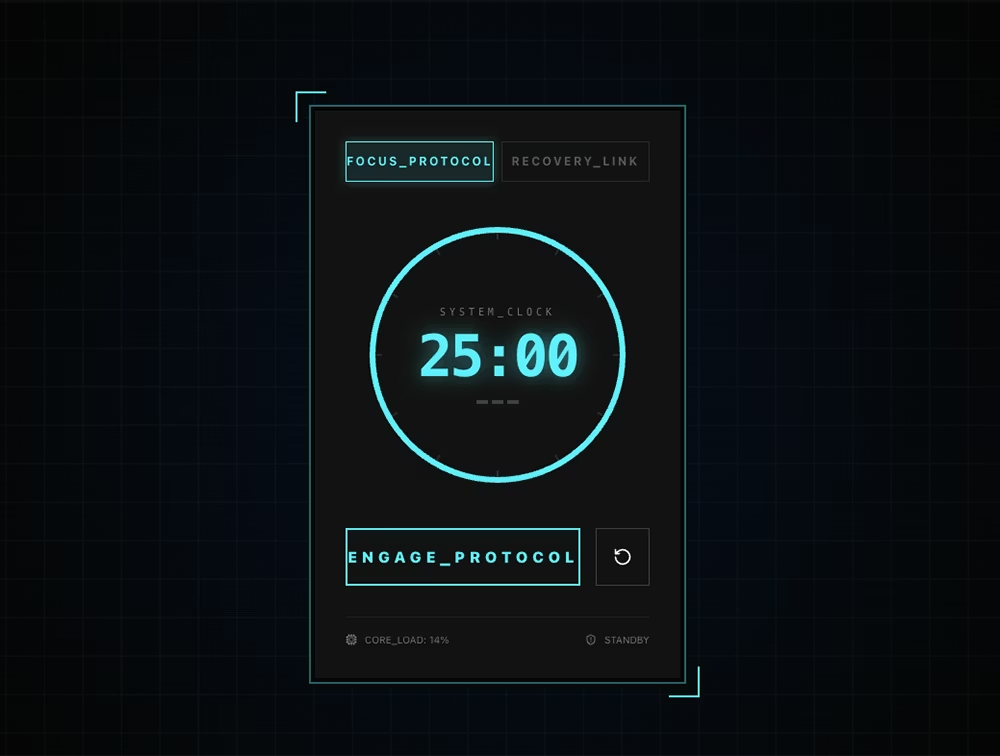
Warning!
Antigravity is more "proactive" than Jules. It automatically installs libraries and creates files behind the scenes.
- Risk: If you run it in a folder containing an existing important project, the AI may overwrite files with good intentions.
- Workaround: It is essential to always run it in a dedicated workspace such as the
testfolder, as in this case.
Even with powerful tools, human review is essential in the end.
Antigravity might be worth trying for mockup-level work!
That said, we do use Claude Code as our standard…




I focus on frontend development with markup, JavaScript, React, and Next.js. I'm always happy when a site I've worked on goes live successfully! My hobbies are playing guitar, and I love cats and roasted sweet potatoes 🐱🍠
Hiraicchi
Frontend Engineer / Joined 2022